How topology, fabric, and colocation shape GPU cluster performance once a job spans more than one node.
Most conversations about AI performance start at the GPU: which chip, how much memory, how many floating-point operations per second (FLOPS) it delivers, and what kernel runs. Once a job spans more than one node in a GPU cluster, the data center starts making decisions for you.
I think about multi-node optimization the same way I think about GPU optimization. It is the same problem at a bigger scale. On a single GPU, you think about the memory hierarchy and the compute cores. Across a cluster, you think about topology, fabric, GPUs, and storage. Either way, two questions decide performance: how does the data move, and where does the compute happen?
In my lightning talk at Ray Summit 2026, I walked through what that means in practice, from where your CPUs sit to which switches do the math. Here are the highlights.
Do your CPUs need to sit next to your GPUs?
Every compute tray already has CPUs. They schedule work onto the GPUs, and in an inference setup they may also run the web server and hand the heavy matrix math to the accelerators.
Some workloads need more CPU power than that. In agentic reinforcement learning (RL) loops, for example, a CPU might run a VM sandbox for the agent. That usually means standalone CPU nodes, which raises the question of whether they belong in the same data center as the GPUs.
The answer comes down to latency and traffic:
- Colocate when CPU nodes are on the hot path. Any delay between CPU and GPU shows up directly in the workload.
- Colocate when you want to keep traffic east-west. Training data that stays inside the data center avoids north-south trips over the internet, which helps both performance and security.
- Skip it when neither applies. If GPU-to-CPU latency isn't critical and you have no strong networking requirement, the CPU nodes can live elsewhere. Pre-tokenizing a dataset is a good example.
Your cluster runs on more than one network
A data center has several physically separate networks. Management and sensor networks rarely touch your job. Two networks sit directly on the hot path of an AI workload: the front-end and the back-end.
The front-end network, usually Ethernet, carries the everyday traffic:
- SSH access, code uploads, and dependency downloads
- The initial TCP handshake between nodes in a multi-node job, before remote direct memory access (RDMA) takes over
- Storage traffic to standalone storage racks that hold model weights, training data, and, for inference at scale, offloaded KV cache
That last point matters. A workload that leans heavily on the front-end network can congest it, which slows the loading of weights, training data, and KV cache, as well as checkpointing and node access.
The back-end network has a different job: peer-to-peer RDMA between GPUs. It turns a large number of individual GPUs into one supercomputer.
The fabric shapes how you lay out parallelism
A back-end network typically runs on NVIDIA InfiniBand or RoCE (RDMA over Converged Ethernet), with NVLink alongside. So most clusters are RoCE plus NVLink, or InfiniBand plus NVLink.
RoCE scales to very large deployments. A multi-plane topology, a set of distinct networks that don't share a spine, lets it reach cluster sizes that are awkward on a single-plane fabric.
Mellanox, now part of NVIDIA, drove much of InfiniBand's adoption, and the fabric has since added AI-optimized features such as SHARP (Scalable Hierarchical Aggregation and Reduction Protocol), which I cover below. In NVIDIA's reference architecture, GPUs in the same scale unit talk through the nearest switch, while GPUs in different scale units take an extra hop over the spine. Communication within a scale unit is slightly faster as a result.
NVLink is the highest-bandwidth peer-to-peer link between NVIDIA GPUs, and it has shaped how workloads are laid out. Teams have traditionally kept communication-heavy work, such as tensor and expert parallelism, inside a single node. Lighter traffic, such as pipeline and data parallelism, crossed the node boundary over InfiniBand or RoCE.
Bigger NVLink domains change the layout
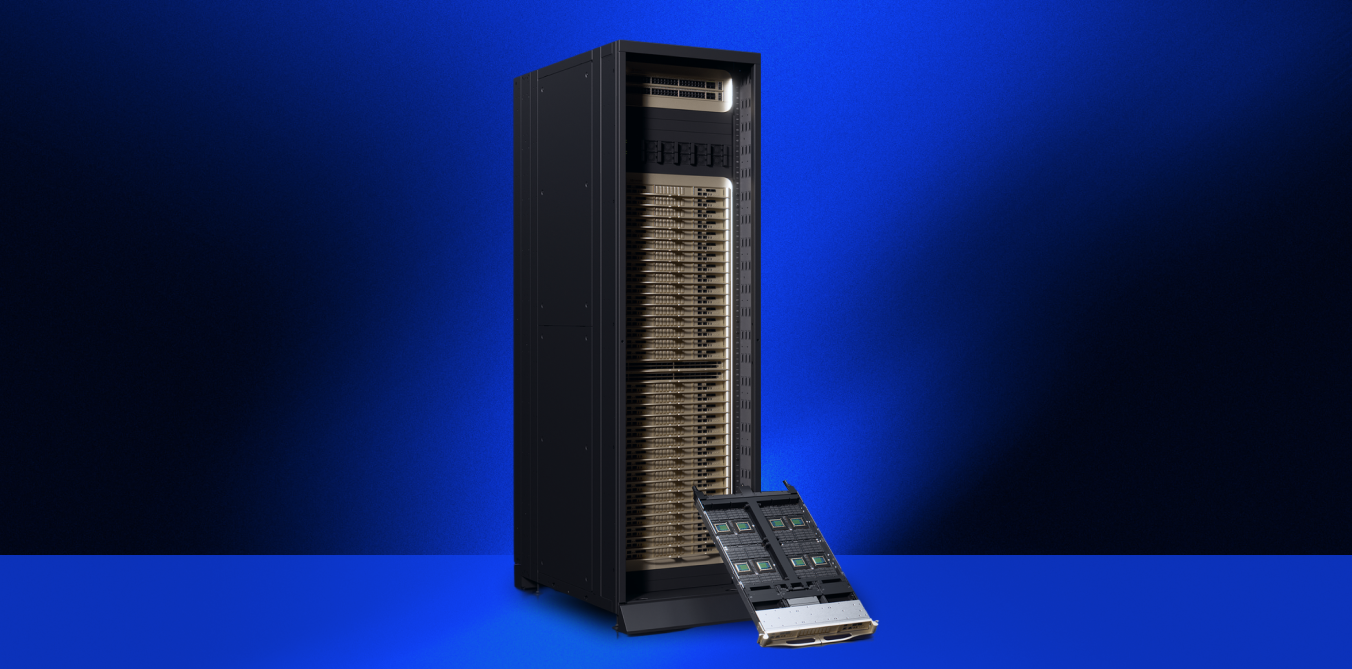
The one-to-one relationship between a node and an NVLink domain has now gone away in the latest NVIDIA systems. NVIDIA GB200 and GB300 NVL72 systems use NVIDIA NVLink: connecting 18 compute trays per rack, four Blackwell or Blackwell Ultra GPUs per tray, connected by an NVSwitch fabric into one NVLink domain of 72 GPUs.
We’re seeing three effects:
- Bigger models. Tensor and expert parallelism no longer have to fit inside one node, or cross InfiniBand or RoCE.
- Faster foundation model training. This applies wherever communication inside the rack has been the bottleneck.
- Faster RL weight transfer. RL at scale moves model weights between training and inference instances, and the communication between nodes is often a bottleneck. Teams work around it with off-policy training, which can introduce instability the further off-policy it goes. Faster weight transfer gives you a choice: grow the model, or stay closer to on-policy at the same size for greater training stability.
With SHARP, switches now do the math
In a traditional all-reduce, such as synchronizing gradients, each node sends data to a switch. The switch broadcasts it to the other nodes, the nodes aggregate it, and the results travel back through the switch.
With SHARP on InfiniBand and NVSwitch, the aggregation happens inside the switches. Nodes send data up, the network reduces it, and the result comes back down. This reduces network hops and latency. It is analogous to kernel fusion in GPU programming: less data crosses the fabric for the same operation, which can raise overall throughput.
Questions to ask your GPU cloud provider
If you rent capacity for multi-node work, these are the questions I would ask:
- Are my nodes in the same InfiniBand scale unit?
- Is SHARP enabled on your switches?
- Am I getting a full NVLink domain, and how large is it?
- Can I have colocated CPU nodes along with my GPUs?
How we validate a GPU cluster before it goes live
Those are the questions I’d ask as a customer. As a provider, answering them is part of how we bring each cluster online. For the past year, I have been building Control Center, part of Nscale Fleet Operations. It is the control panel we use to manage our GPU fleet, from inventory management to proactive health checks and automated remediation.
Commissioning a new data center means testing every layer:
- GPUs run multi-day stress workloads to find stragglers, XID errors, and memory-remapping issues
- GPU and CPU nodes are stress-tested
- Front-end, back-end, and management networks are tested, down to flapping ports and cables that aren't plugged in correctly
- Storage is validated
Component checks only get you so far, so we also run real end-to-end workloads. That does two things.
First, it proves the whole system works together. NVIDIA has validated that we can train a range of LLM workloads at top performance, which earned us NVIDIA Exemplar Cloud status.
Second, it finds the tuning that default settings miss on new hardware, such as GB300 NVL72 today and NVIDIA Vera Rubin next. That might be NCCL environment variables, PCIe configuration, or a topology-aware Linux service in the Ubuntu image. We bake those optimizations into Nscale Cloud, so customers start with them in place, whether they run on reserved or on-demand capacity.
Lay out the job around the data center
The data center you run on shapes how your workload performs, often before you write a line of code. The same two questions from single-GPU work still apply: how does the data move, and where does the compute happen? Knowing the topology, the fabric, and what your provider has already tuned helps you lay out jobs that make full use of it.
Want to know more? Talk to Nscale about your next multi-node cluster.